Free Dwarf Voice Generator
Type what your dwarf says, keep the dwarf preset on, and download a deep, hearty, no-nonsense fantasy voice as an MP3.
Try the Dwarf Voice Generator free
No sign-up neededStart from a sample script:
Free clips are up to 500 characters, with no sign-up and no watermark. Longer scripts and more voices are on the paid plans.
Dwarf voice generator example: a D&D blacksmith
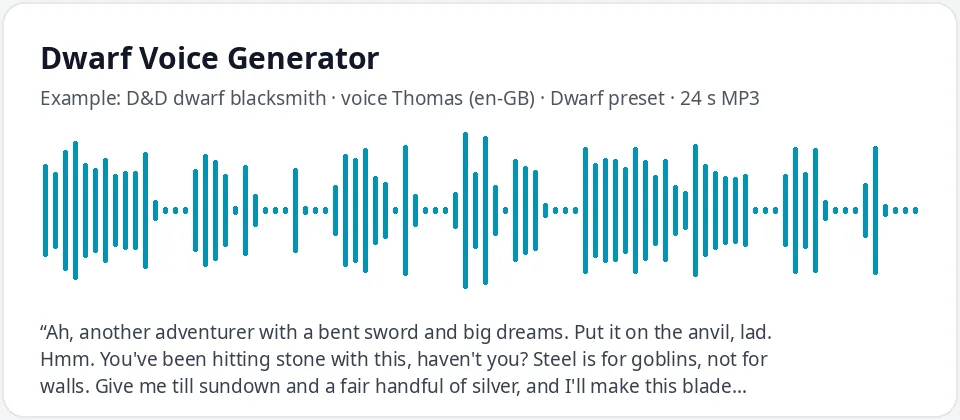
Made with this free tool, no edits: voice Thomas (UK English), Dwarf preset on, sample “D&D dwarf blacksmith”. Text: “Ah, another adventurer with a bent sword and big dreams. Put it on the anvil, lad. Hmm. You've been hitting stone with this, haven't you? Steel is for goblins, not for walls. Give me till sundown and a fair handful of silver, and I'll make this blade sing again. And mind the forge. It bites.”
How it works
- Type or paste your dwarf lines. Free clips are up to 500 characters.
- Leave the "Dwarf preset" ticked. It lowers the pitch by 28 Hz and slows the voice by just 4 percent. Thomas (English, UK) is preselected.
- Press generate, listen, and download the MP3. Untick the preset to hear the normal voice for comparison.
What does this dwarf voice sound like?
It is a deep, solid, British-sounding voice that still moves at a good working pace, like a dwarf who has a forge to tend and no time for nonsense. It comes from Thomas, an English (UK) AI voice, with the pitch lowered by 28 Hz and the speed slowed by only 4 percent.
The pace is the point. Ogres and dragons sound big because they talk slowly. Dwarves are short, stubborn and busy, so this preset keeps the voice low and heavy but quick enough to sound hearty, proud and a little impatient.
An honest note: many people picture a dwarf with a Scottish accent. We do not have a Scottish voice, and the tool cannot add one. The closest we can offer is a British English voice made deeper. It also does not add gravel, rasp, grunts or battle cries as sounds; the gruffness comes from the low pitch and from how you write the lines.
Where people use a dwarf voice
- D&D and other tabletop RPGs: blacksmiths, mine guards, clan elders and tavern keepers for your NPCs.
- Indie and fantasy games: shopkeeper lines, quest givers and companion barks for a dwarf character.
- Fantasy audiobooks and audio dramas: give the dwarf in your story a voice that sounds different from the rest of the party.
- Animations, puppet shows and fan-made fantasy videos with an original dwarf character.
- Fantasy-themed parties and game nights: a recorded welcome toast from the host dwarf.
How to write lines for a dwarf
- Talk about the work: forges, anvils, pickaxes, tunnels, ale and gold. Dwarves love their craft and say so.
- Use short, blunt sentences and a few old-fashioned words like "lad", "lass", "aye" and "the lot of you".
- Give your dwarf pride and grumbles: a clan name, a long memory, a complaint about "kids these days".
- Toasts and boasts work well with exclamation marks. The voice lifts and sounds louder at the end of them.
- Invent your own names, like "Clan Stonebrow" or "Borra", instead of using dwarves from books or films.
- Write numbers as words, like "three days ago", and test any made-up names on a short line first.
Changing the dwarf voice
The preset works on every voice in the list. Ryan with the preset on sounds younger and brighter, which suits an eager dwarf warrior. Switch the language menu to English (US) and try Roger for an old, grumbling clan elder, or Guy for a big-hearted tavern keeper.
For a dwarf woman, a smith or a clan leader, try Sonia or Libby with the preset on: the voice drops into something low, steady and in charge. For a giant or a much bigger, slower brute, use the ogre voice generator instead.
Running a campaign? Write down which voice and preset you used for each dwarf, so your blacksmith sounds the same every session.
Frequently asked questions
Is the dwarf voice generator free?
Yes. The box is free to use: up to 500 characters per clip, with an MP3 download and no watermark. Longer scripts and more generations are on the paid plans.
How is the dwarf voice made?
It is Thomas, an English (UK) AI voice, with a preset that lowers the pitch by 28 Hz and slows the speed by 4 percent. The preset works with any voice in the list, and you can untick it to hear the normal voice.
Can it do a Scottish dwarf accent?
No. There is no Scottish voice in the list, and the tool cannot add an accent. Thomas gives a British English accent, made deeper by the preset. Words like "aye" and "lad" in your script help it feel more dwarvish.
Can it add a gravelly voice or battle cries?
No. It only changes the voice, the pitch and the speed, so there is no gravel, rasp, echo or shouting effect. Typed sounds like "Hrmph" are read as words. Add sound effects in your editor if you need them.
Does it copy a famous dwarf from a film or game?
No. It does not copy any character from a book, film or game. You get an original dwarf voice, and you can give your dwarf any name and clan you like.
Need more than a short clip?
The free box above is capped at 500 characters per clip. If you need longer scripts (up to 5,000 characters per generation) or higher-quality voices, take a look at the plans. Nothing here is required to use the free tool.
See plans and pricingMore free text to speech