Free Wizard Voice Generator
Write your wizard's words, keep the wizard preset on, and download a low, slow, wise British voice for D&D, stories and games.
Try the Wizard Voice Generator free
No sign-up neededStart from a sample script:
Free clips are up to 500 characters, with no sign-up and no watermark. Longer scripts and more voices are on the paid plans.
Wizard voice generator example: words of wisdom
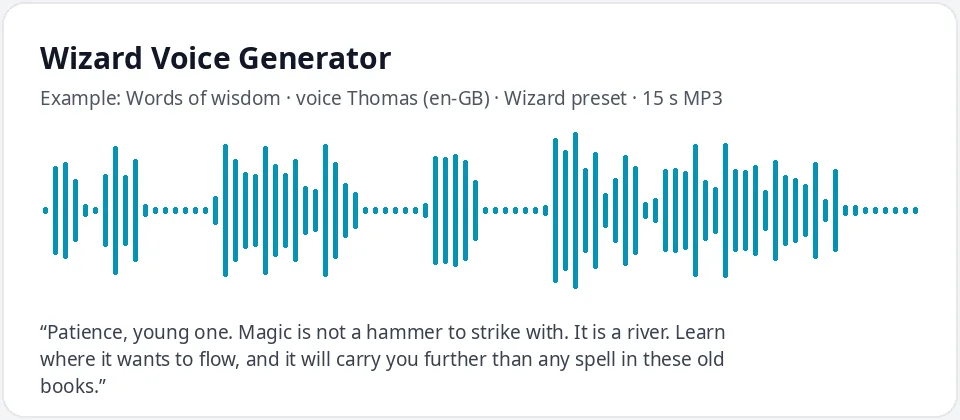
Made with this free tool, no edits: voice Thomas (UK English), Wizard preset on, sample “Words of wisdom”. Text: “Patience, young one. Magic is not a hammer to strike with. It is a river. Learn where it wants to flow, and it will carry you further than any spell in these old books.”
How it works
- Type or paste your wizard lines. Free clips are up to 500 characters.
- Leave the "Wizard preset" ticked. It lowers the pitch by 15 Hz and slows the voice by 18 percent. Thomas (UK English) is preselected.
- Press generate, listen, and download the MP3. Untick the preset to hear the normal voice for comparison.
What does this wizard voice sound like?
It is the voice of an old, wise wizard: British, a little low, calm and in no hurry at all, like someone who has read every book in the tower and chooses each word with care. It comes from Thomas, a UK English AI voice, with the pitch lowered by 15 Hz and the speed slowed by 18 percent.
The British accent comes from the voice itself, and the preset adds age and weight. Together they give the storybook mentor feel that most people mean when they search for a wizard voice generator.
Ways to use a wizard voice
- D&D and tabletop games: a quest giver, a court mage, a tower archmage or a mysterious hermit.
- Fantasy audiobooks, audio dramas and short stories read aloud.
- Indie games, visual novels and animations that need a mentor character.
- Kids' magic parties and themed birthdays: a wizard welcome or a potion-class intro.
- Classroom reading, story time and school plays with a fantasy theme.
Writing lines that sound wise
- Use calm, measured sentences. Wise wizards rarely shout.
- Short sayings land well: "Magic is not a hammer. It is a river."
- Rhyming lines make a spell sound like an incantation. Keep the rhythm steady.
- Invent your own spell words and names, then test how the voice reads them. Spell them the way they should sound.
- Use commas for thoughtful pauses and full stops between ideas.
Other wizards you can make
The preset works on every voice. Ryan, another UK English voice, gives a younger and warmer wizard, good for an apprentice or a traveling spellcaster. Sonia or Libby with the preset on make a calm, commanding sorceress. Switch to English (US) and try Roger or Guy for an American wizard.
Running a long campaign? Note which voice you used for each character so the same wizard always sounds the same. Many game masters make a short greeting for each mage before the session and play it when the players first meet them.
This tool changes only the voice, pitch and speed. It does not add magical sound effects, echo or music, and it does not copy any wizard from a film, book or game; add effects in your editor and keep the character your own.
Frequently asked questions
Is the wizard voice generator free?
Yes. The box is free to use: up to 500 characters per clip, with an MP3 download and no watermark. Longer scripts and more generations are on the paid plans.
How is the wizard voice made?
It is Thomas, a UK English AI voice, with a preset that lowers the pitch by 15 Hz and slows the speed by 18 percent. The preset works with any voice in the list. Untick it for the normal voice.
Can I make an American wizard voice?
Yes. Switch the language menu to English (US) and pick a male voice such as Roger or Guy with the preset on.
Can it add magic sound effects?
No. It reads your text in the voice only. Add sparkles, thunder or music in your video or audio editor.
Can I use the wizard voice in my game or video?
Yes, you can use the audio you generate in your own games, videos and projects.
Need more than a short clip?
The free box above is capped at 500 characters per clip. If you need longer scripts (up to 5,000 characters per generation) or higher-quality voices, take a look at the plans. Nothing here is required to use the free tool.
See plans and pricingMore free text to speech