Free Skeleton Voice Generator
Type what your skeleton says, keep the skeleton preset on, and download a thin, creaky, spooky-fun voice as an MP3.
Try the Skeleton Voice Generator free
No sign-up neededStart from a sample script:
Free clips are up to 500 characters, with no sign-up and no watermark. Longer scripts and more voices are on the paid plans.
Skeleton voice generator example: a Halloween porch greeting
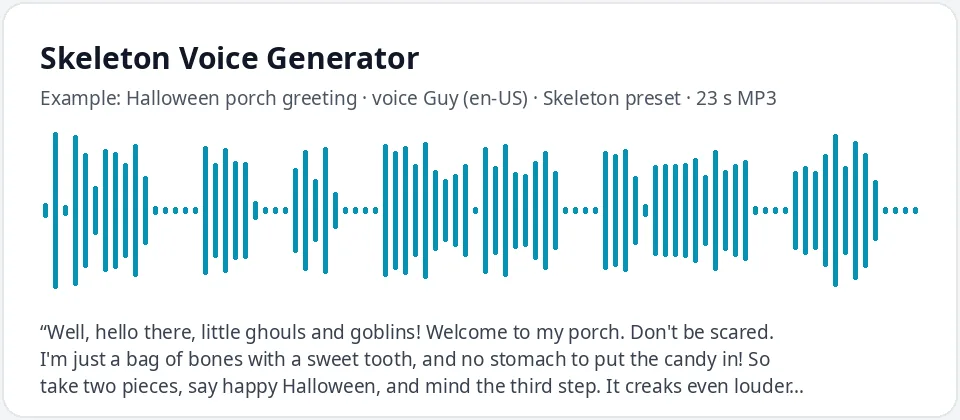
Made with this free tool, no edits: voice Guy (US English), Skeleton preset on, sample “Halloween porch greeting”. Text: “Well, hello there, little ghouls and goblins! Welcome to my porch. Don't be scared. I'm just a bag of bones with a sweet tooth, and no stomach to put the candy in! So take two pieces, say happy Halloween, and mind the third step. It creaks even louder than my knees.”
How it works
- Type or paste your skeleton lines. Free clips are up to 500 characters.
- Leave the "Skeleton preset" ticked. It raises the pitch by 12 Hz and slows the voice by 14 percent. Guy (English, US) is preselected.
- Press generate, listen, and download the MP3. Untick the preset to hear the normal voice for comparison.
What does this skeleton voice sound like?
It is a thin, dry, slightly creaky voice that is spooky but never too scary. It comes from Guy, an English (US) AI voice, with the pitch raised by 12 Hz and the speed slowed by 14 percent. The higher pitch takes the warmth and weight out of the voice, as if there is nothing inside but bones, and the slower pace makes every word sound a little stiff and creaky.
An honest note: there is no bone-rattle, jaw-clack or creak sound effect here. The tool only changes the voice, the pitch and the speed, so the "rattly" feel comes from those two settings and from how you write the lines. If you want real rattles, add a sound effect in your video or audio editor after you download the MP3.
Where people use a talking skeleton voice
- Halloween porch decorations: play a greeting from a speaker hidden behind a plastic skeleton when trick-or-treaters arrive.
- Haunted houses and school Halloween fairs: entrance welcomes, safety rules and spooky directions.
- Kids' Halloween parties: a skeleton host for bone hunts, costume contests and joke breaks.
- Short Halloween videos and social posts with a talking skeleton puppet or animation.
- Spooky storytime for kids, where a skeleton tells the story instead of a scary monster.
How to write lines for a skeleton
- Bone puns are the heart of it: "no body to go with", "no guts", "funny bone", "bone-chilling", "I feel it in my bones".
- Keep sentences short with pauses between them. Periods and commas slow the voice down and make it sound creakier.
- For kids, make the skeleton friendly and a bit silly. Save the slow, quiet, eerie lines for teens and grown-up haunts.
- Typed sounds like "rattle rattle" or "clack" are read out as words. That can be funny on purpose, but it will not sound like real bones.
- Write numbers as words, like "twelve of my bones", so they are read the way you expect.
Changing the skeleton voice
The preset works on every voice in the list. Try Eric or Christopher with the preset on for a different skeleton, or Michelle or Jenny for a skeleton lady with a dry, stiff voice. If you want a deep, slow, truly frightening voice instead, the scary and demon voice generators go much lower.
Building a whole haunted yard? Give the skeleton the funny lines and let a lower ghost or zombie voice handle the scares, so each one is easy to tell apart.
Frequently asked questions
Is the skeleton voice generator free?
Yes. The box is free to use: up to 500 characters per clip, with an MP3 download and no watermark. Longer scripts and more generations are on the paid plans.
How is the skeleton voice made?
It is Guy, an English (US) AI voice, with a preset that raises the pitch by 12 Hz and slows the speed by 14 percent. The preset works with any voice in the list, and you can untick it to hear the normal voice.
Does it add rattling bones or other sound effects?
No. There are no sound effects, echo or creaks. The thin, creaky feel comes only from the pitch and speed. Add a bone-rattle sound in your editor if you need one.
Can it make the skeleton from a video game or a famous song?
No. It does not copy any game, film or song character, and it does not sing. You get an original talking skeleton voice that reads the words you type.
Is it too scary for young kids?
Not with friendly lines. The preset is light and a little silly, so jokes and porch greetings sound fun. What you write decides how spooky it gets.
Need more than a short clip?
The free box above is capped at 500 characters per clip. If you need longer scripts (up to 5,000 characters per generation) or higher-quality voices, take a look at the plans. Nothing here is required to use the free tool.
See plans and pricingMore free text to speech