Free Witch Voice Generator
Type a spell, a Halloween greeting or a line for your swamp hag, keep the witch preset on, and download a sly, storybook witch voice as an MP3.
Try the Witch Voice Generator free
No sign-up neededStart from a sample script:
Free clips are up to 500 characters, with no sign-up and no watermark. Longer scripts and more voices are on the paid plans.
Witch voice generator example: a spell
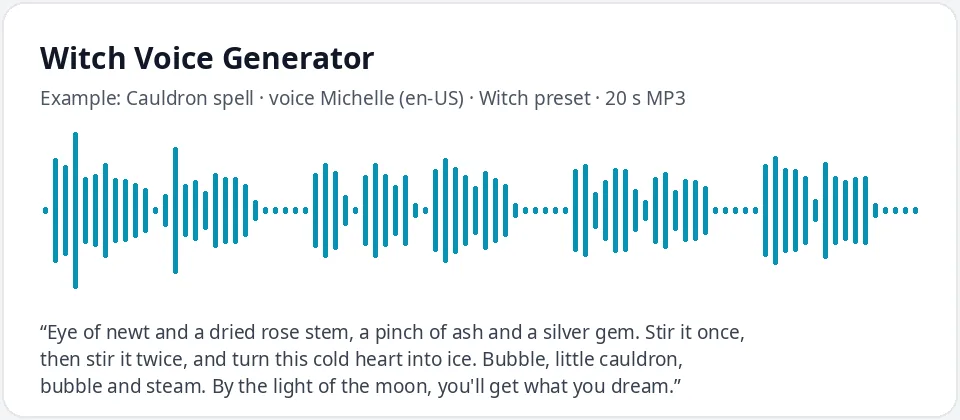
Made with this free tool, no edits: voice Michelle (US English), Witch preset on, sample “Cauldron spell”. Text: “Eye of newt and a dried rose stem, a pinch of ash and a silver gem. Stir it once, then stir it twice, and turn this cold heart into ice. Bubble, little cauldron, bubble and steam. By the light of the moon, you'll get what you dream.”
How it works
- Type or paste your witch lines. Free clips are up to 500 characters.
- Leave the "Witch preset" ticked. It raises the pitch by 15 Hz and slows the voice by 15 percent. Michelle is preselected.
- Press generate, listen, and download the MP3. Untick the preset to hear the normal voice for comparison.
What does this witch voice sound like?
It is a sly, knowing, storybook witch: a grown woman's voice lifted a little in pitch and slowed down so every word lands with a hint of mischief. It comes from Michelle, a natural US English AI voice, with the pitch raised by 15 Hz and the speed cut by 15 percent.
The slower pace does most of the work. A witch who takes her time sounds like she knows something you don't, and that is the feeling most people want for a spell, a warning or a Halloween greeting. The raised pitch keeps it from sounding like a plain narrator.
Be aware of the limit: this tool cannot make a voice raspy, crackly or old-sounding, and it cannot cackle on cue. The witch character comes from the pitch, the pace and, above all, the words you write.
Ways to use a witch voice
- Halloween: a porch greeting for trick-or-treaters, a haunted yard loop or a spooky party invitation.
- D&D and tabletop games: a swamp hag, a coven leader or a village wise woman your players will remember.
- Halloween stories and audio dramas read aloud for kids or a classroom.
- Escape rooms and party games: recorded clues from the witch who "hid" the next key.
- Short videos, slideshows and school projects that need a spooky character line.
Writing a witch script that sounds right
- Rhymes and steady rhythm make a spell sound like a spell. Keep each line about the same length.
- Use old-fashioned, teasing words: "my dears", "well, well, well", "what have we here?".
- Commas and full stops slow the voice even more. Put them where you want a sly pause.
- A written laugh like "heh, heh, heh" is read as words, not a real cackle. Test it, or leave the laugh out.
- Invent your own names and places, and write numbers as words, like "the seventh night".
Getting different witches from the same preset
The preset works on every voice in the list, so you can build a small coven. Michelle gives a sly, grown-up witch. Jenny or Emma sound younger and brighter, which suits a friendly kitchen witch in a kids' story. Switch the language menu to English (UK) and try Sonia for a more formal, fairy-tale witch.
For a warlock or male witch, pick Christopher or Guy with the preset on: the voice lifts a little and slows down, which reads as wily rather than menacing. Write down which voice you used for each character so they sound the same every time.
Frequently asked questions
Is the witch voice generator free?
Yes. The box is free to use: up to 500 characters per clip, with an MP3 download and no watermark. Longer scripts and more generations are on the paid plans.
How is the witch voice made?
It is Michelle, a US English AI voice, with a preset that raises the pitch by 15 Hz and slows the speed by 15 percent. The preset works with any voice in the list, and you can untick it to hear the normal voice.
Can it make an old, raspy crone voice?
No. It changes only the voice, the pitch and the speed, so it cannot add rasp, crackle or a cackle. You get a sly, slower, storybook witch. Old-fashioned words and slow, rhyming lines help the character a lot.
Can I use the witch voice for Halloween decorations?
Yes. Generate a short greeting, download the MP3, and play it from a speaker by the door or in a looping playlist.
Can I use it in videos?
Yes, you can use the audio you generate in your own videos, games and projects.
Need more than a short clip?
The free box above is capped at 500 characters per clip. If you need longer scripts (up to 5,000 characters per generation) or higher-quality voices, take a look at the plans. Nothing here is required to use the free tool.
See plans and pricingMore free text to speech