Free Dragon Voice Generator
Type what your dragon says, keep the dragon preset on, and download a huge, deep, slow voice for D&D, games and stories.
Try the Dragon Voice Generator free
No sign-up neededStart from a sample script:
Free clips are up to 500 characters, with no sign-up and no watermark. Longer scripts and more voices are on the paid plans.
Dragon voice generator example: a dragon guarding its gold
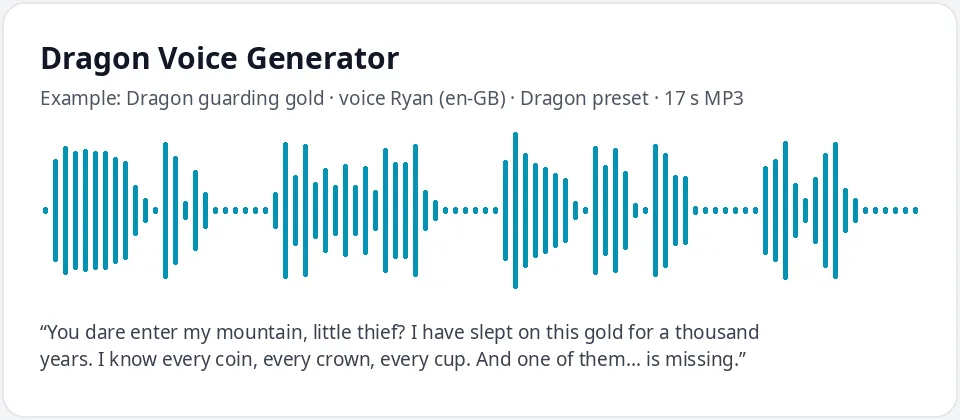
Made with this free tool, no edits: voice Ryan (UK English), Dragon preset on, sample “Dragon guarding gold”. Text: “You dare enter my mountain, little thief? I have slept on this gold for a thousand years. I know every coin, every crown, every cup. And one of them... is missing.”
How it works
- Type or paste your dragon lines. Free clips are up to 500 characters.
- Leave the "Dragon preset" ticked. It lowers the pitch by 45 Hz and slows the voice by 22 percent. Ryan (UK English) is preselected.
- Press generate, listen, and download the MP3. Untick the preset to hear the normal voice for comparison.
What does this dragon voice sound like?
It is a huge, deep, slow voice with a proud, ancient air: the voice of a creature that has slept on gold for centuries and is in no hurry to deal with you. It comes from Ryan, a UK English AI voice, with the pitch lowered by 45 Hz and the speed slowed by 22 percent.
The big drop in pitch gives the size, and the slower pace gives the age and menace. The British accent of the base voice adds a regal, old-world feel that suits a dragon who speaks like a king.
Ways to use a dragon voice
- D&D and tabletop games: an ancient dragon, a young wyrm bargaining for treasure or a dragon who sets a riddle.
- Indie games and game prototypes: boss intros, taunts and cutscene lines.
- Fantasy audiobooks, audio dramas and stories read aloud.
- Kids' stories and parties with a gentle, friendly dragon.
- Fantasy videos, trailers and slideshows that need a powerful creature voice.
Tips for writing dragon dialogue
- Dragons are proud. Let them talk about time, gold and how small everyone else is.
- Short, heavy sentences hit harder than long ones at this deep pitch.
- Use an ellipsis before the threat ("And one of them... is missing.") for a slow, dangerous pause.
- Write numbers as words ("a thousand years") so the voice reads them with weight.
- Invent your own dragon names and lands, and test how the voice says them.
What it does and does not do
The dragon voice generator reads your text in a very deep, slow AI voice and gives you a clean MP3. It changes only the voice, the pitch and the speed.
It does not roar, growl or add fire, wing beats, echo or rumble. If you want a cave echo or a roar between lines, add those in your audio or video editor. It is not a voice changer for your own recordings, and it does not copy any dragon from a film, book or game.
Want an American dragon? Switch the language menu to English (US) and pick Christopher or Guy with the preset on.
Frequently asked questions
Is the dragon voice generator free?
Yes. The box is free to use: up to 500 characters per clip, with an MP3 download and no watermark. Longer scripts and more generations are on the paid plans.
How is the dragon voice made?
It is Ryan, a UK English AI voice, with a preset that lowers the pitch by 45 Hz and slows the speed by 22 percent. The preset works with any voice in the list. Untick it for the normal voice.
Can it make a dragon roar?
No. It reads words only. Use a roar sound effect in your editor and this voice for the dragon's lines.
Can I make a female dragon?
Yes. Pick a female voice such as Sonia or Libby with the preset on. She will sound very deep and slow, which suits a dragon queen.
Can I use the dragon voice in my game?
Yes, you can use the audio you generate in your own games, videos and projects.
Need more than a short clip?
The free box above is capped at 500 characters per clip. If you need longer scripts (up to 5,000 characters per generation) or higher-quality voices, take a look at the plans. Nothing here is required to use the free tool.
See plans and pricingMore free text to speech