Free Airport Announcement Generator
Write a boarding call or gate change with a made-up airline, pick a voice and get a calm terminal-style announcement as an MP3.
Try the Airport Announcement Generator free
No sign-up neededStart from a sample script:
Free clips are up to 500 characters, with no sign-up and no watermark. Longer scripts and more voices are on the paid plans.
Airport announcement generator example: a boarding call
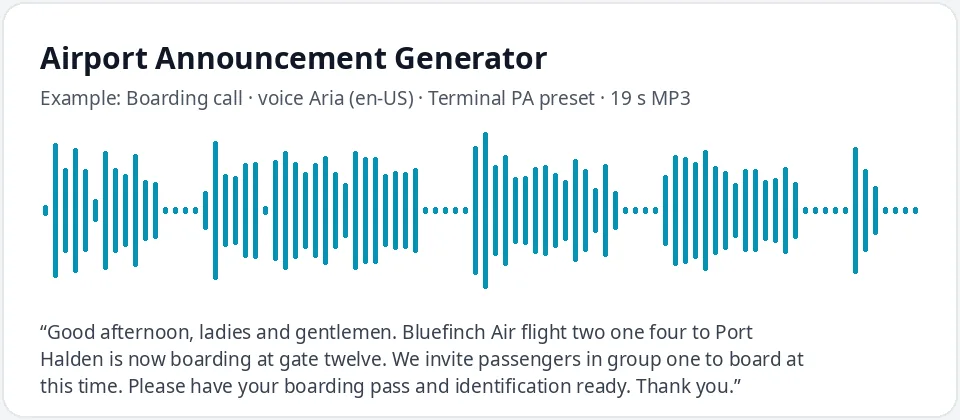
Made with this free tool, no edits: voice Aria (US English), Terminal PA preset on, sample “Boarding call”. Text: “Good afternoon, ladies and gentlemen. Bluefinch Air flight two one four to Port Halden is now boarding at gate twelve. We invite passengers in group one to board at this time. Please have your boarding pass and identification ready. Thank you.”
How it works
- Write the announcement with an invented airline, flight number and gate, or start from a sample.
- Keep Aria with the terminal preset, or try another voice such as Guy, Jenny or Sonia.
- Play it, tweak the wording and download the MP3 for your scene, game or event.
How airport announcements are structured
Most terminal announcements follow the same order: an attention line, the airline and flight number, the destination, the gate, and what passengers should do now. Final calls repeat the flight number at the end because people often start listening halfway through.
Write flight numbers digit by digit, such as "two one four", the way gate agents say them. Write gates as words, such as "gate twenty-three B", so the voice does not guess.
Keep sentences short and polite. Real PA scripts use set phrases such as "May I have your attention, please" and "We invite passengers in group one to board", and those phrases are what make a clip sound like a terminal. Add "Thank you" at the end, and put a full stop after each part so the voice leaves a small pause, just as a gate agent would.
Airport announcement scripts you can make
- Boarding calls by group or zone, with a reminder to have boarding passes ready.
- Welcome-aboard messages and seat belt reminders for a scene set inside the cabin.
- Gate changes and delays with a new departure time.
- Final calls and gate closing notices.
- Baggage claim and arrivals messages.
- Reminders such as "Please do not leave your bags unattended."
- Fun "boarding" calls for travel-themed parties, weddings and school events.
Where people use an airport announcement voice
- Short films and videos with an airport or travel scene.
- Games, flight simulators and custom airport maps.
- Theatre and school plays that need a background PA.
- Themed parties and corporate events with a travel theme.
- Training role-plays for customer service or travel courses.
- Language lessons, where learners practice catching gate numbers and times by ear.
What this tool does and does not do
It reads your text in a calm AI voice, slightly lower and slower with the preset, and gives you an MP3. It does not connect to flight data, play a chime or add terminal echo. Add those in your editor if your scene needs them. For a scene in another country, write the same announcement in another language and pick one of its voices, then play the two clips one after the other.
Use made-up airline names and keep the clips for videos, games and events. Do not play them in a real terminal or use them to mislead travelers.
Frequently asked questions
Is the airport announcement generator free?
Yes. The box is free: up to 500 characters per clip, an MP3 download and no watermark. Longer scripts are on the paid plans.
How is the terminal voice made?
It is Aria, a US English AI voice, with a preset that lowers her pitch by 4 Hz and slows her by 8 percent. That gives a calm, unhurried PA read. Untick the preset for her normal voice.
Can I make a British-sounding airport announcement?
Yes. Choose UK English in the box and pick Sonia, Libby, Ryan or Thomas. The preset works with any voice.
Can I add the chime before the announcement?
The tool only makes the voice. Download the MP3 and place your own chime sound before it in any audio or video editor.
Can I use a real airline's name?
Please use invented names, like the ones in our samples. That keeps your clip clear of real brands and avoids confusing anyone.
Need more than a short clip?
The free box above is capped at 500 characters per clip. If you need longer scripts (up to 5,000 characters per generation) or higher-quality voices, take a look at the plans. Nothing here is required to use the free tool.
See plans and pricingMore free text to speech