Free Villain Voice Generator
Type your villain's monologue, threat or boss line, keep the villain preset on, and download a calm, cold, menacing voice as an MP3.
Try the Villain Voice Generator free
No sign-up neededStart from a sample script:
Free clips are up to 500 characters, with no sign-up and no watermark. Longer scripts and more voices are on the paid plans.
Villain voice generator example: a mastermind monologue
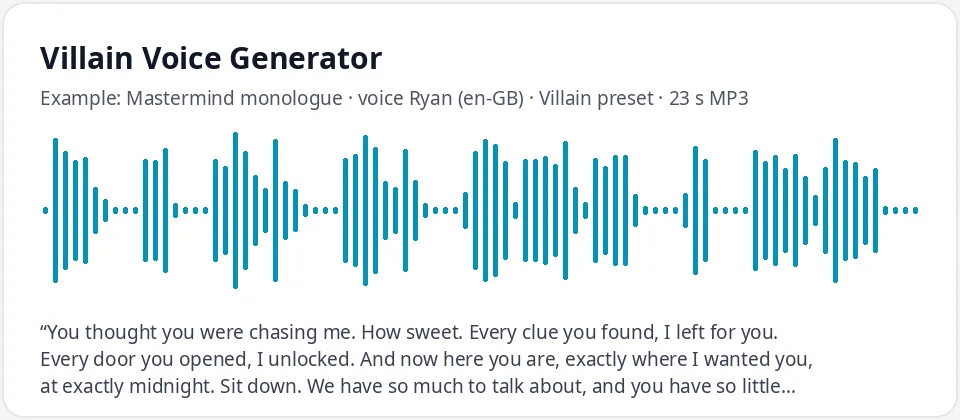
Made with this free tool, no edits: voice Ryan (UK English), Villain preset on, sample “Mastermind monologue”. Text: “You thought you were chasing me. How sweet. Every clue you found, I left for you. Every door you opened, I unlocked. And now here you are, exactly where I wanted you, at exactly midnight. Sit down. We have so much to talk about, and you have so little time.”
How it works
- Type or paste your villain lines. Free clips are up to 500 characters.
- Leave the "Villain preset" ticked. It lowers the pitch by 24 Hz and slows the voice by 12 percent. Ryan (UK English) is preselected.
- Press generate, listen, and download the MP3. Untick the preset to hear the normal voice for comparison.
What does this villain voice sound like?
It is the calm, polished kind of villain: a British male voice pushed lower and slowed a little, so every sentence sounds planned in advance. It comes from Ryan, a UK English AI voice, with the pitch lowered by 24 Hz and the speed cut by 12 percent.
Most memorable villains do not shout. They speak slowly, politely and with total confidence, as if the outcome is already decided. The lower pitch adds weight, and the slower pace adds control. Together they turn a plain line like "Sit down" into a threat.
The tool changes only the voice, the pitch and the speed. It cannot add a growl, a rasp or a booming evil laugh. The menace comes from the preset and, most of all, from the words you write.
Where people use a villain voice
- Indie games: boss introductions, taunts between rounds and the final confrontation.
- D&D and tabletop campaigns: a recorded message from the big bad, played at the start of a session.
- Audio dramas, podcasts and short films that need a cold antagonist for a scene.
- Escape rooms and Halloween events: the mastermind who explains the rules and starts the clock.
- Funny videos and kids' plays with a silly cartoon villain whose plan goes wrong.
How to write a villain script that lands
- Be polite. "Please, sit down" is scarier than "Sit down or else."
- Show the villain is one step ahead: "Every clue you found, I left for you."
- Use short sentences after long ones. A one-word line like "Almost." hits hard after a long speech.
- Commas and full stops slow the voice even more, so put them where you want a pause.
- Written laughs like "ha ha ha" are read as words, not a real laugh. Test them, or leave them out.
- Invent your own villain names and places, and write numbers as words, like "three hundred steps".
Making different villains from one preset
The preset works on every voice in the list. Ryan gives a smooth British mastermind. Switch to English (UK) Thomas for a more formal, old-money villain, or to US English Christopher or Guy for a colder, American crime-boss feel.
For a villainess, try Sonia (UK) or Michelle (US) with the preset on: the voice drops and slows, which reads as icy and in control. For a silly cartoon villain, untick the preset, pick a brighter voice like Eric, and use lots of exclamation marks in the script.
Frequently asked questions
Is the villain voice generator free?
Yes. The box is free to use: up to 500 characters per clip, with an MP3 download and no watermark. Longer scripts and more generations are on the paid plans.
How is the villain voice made?
It is Ryan, a UK English AI voice, with a preset that lowers the pitch by 24 Hz and slows the speed by 12 percent. The preset works with any voice in the list, and you can untick it to hear the normal voice.
Can it do an evil laugh or a growl?
No. It only changes the voice, the pitch and the speed, so there is no growl, rasp or real laugh. You get a calm, low, deliberate villain, and a well-written script does the rest.
Can I use the villain voice in my game or video?
Yes, you can use the audio you generate in your own games, videos and projects. Create your own villain rather than copying a famous one.
Can I make an American villain instead?
Yes. Switch the language menu to English (US) and pick Christopher, Guy or Andrew with the preset on.
Need more than a short clip?
The free box above is capped at 500 characters per clip. If you need longer scripts (up to 5,000 characters per generation) or higher-quality voices, take a look at the plans. Nothing here is required to use the free tool.
See plans and pricingMore free text to speech