Free Pakistani Accent Generator
Type your lines in English and a native Urdu voice from Pakistan reads them, so they sound like English with a Pakistani accent. Choose Asad or Uzma and download the MP3.
Try the Pakistani Accent Generator free
No sign-up neededStart from a sample script:
Free clips are up to 500 characters, with no sign-up and no watermark. Longer scripts and more voices are on the paid plans.
Pakistani accent generator example: a science fair welcome
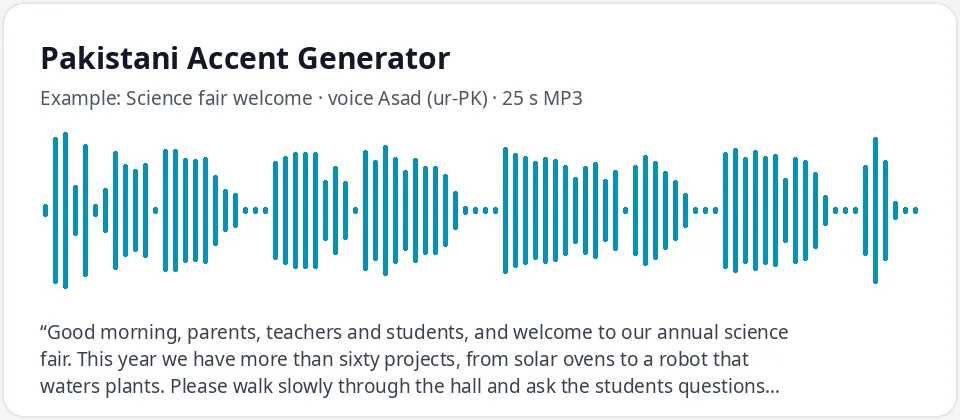
Made with this free tool, no edits: voice Asad (Urdu (Pakistan) voice), sample “Science fair welcome”. Text: “Good morning, parents, teachers and students, and welcome to our annual science fair. This year we have more than sixty projects, from solar ovens to a robot that waters plants. Please walk slowly through the hall and ask the students questions, because they have worked very hard. The judges will announce the winners at noon in the main room. Enjoy the show.”
How it works
- Type or paste your text in English. Free clips are up to 500 characters each.
- Urdu (Pakistan) is selected with the male voice Asad. Choose Uzma for a female voice.
- Press generate, listen, and download the MP3. If a name sounds wrong, spell it the way it sounds and try again.
How this Pakistani accent generator works
To be clear about it: this is an Urdu voice. Asad and Uzma are native Urdu (Pakistan) voices, and on this page they read the English you type. Urdu sounds and rhythm carry into the English, so it sounds like English with a Pakistani accent. There is no extra filter and no accent strength slider.
Many people in Pakistan speak English every day, and these voices handle common words well, so some lines sound only lightly accented. Longer words, names and abbreviations show the accent more, and may be read the Urdu way. Write numbers as words, and spell names the way you want them said.
- It reads English text in a native Urdu voice and gives you an MP3. Speed and pitch are in More options.
- It does not translate. Type in Urdu script to hear normal Urdu with no accent.
- It is text to speech, not a voice changer, and it does not copy any real person.
One voice, many Pakistani accents
Pakistan has many languages, and English there sounds different from speaker to speaker. Punjabi, Sindhi, Pashto, Balochi, Saraiki and other first languages each shape it in their own way, and big cities have their own sound too. This tool does not model those separately. It gives one general, Urdu-flavored Pakistani English.
If your character needs a specific regional sound, treat this voice as a starting point, and let the script, names and setting tell the listener where the character is from.
What a Pakistani accent in English often sounds like
These are common patterns in Pakistani English. Real speakers vary a lot, and the AI voice shows some patterns more than others.
- The t and d sounds are often made with the tongue curled back, which gives words like "time" and "doctor" a distinct sound.
- The v and w sounds are often the same, so "vest" and "west" can sound alike.
- The "th" in "think" and "this" usually becomes a soft t or d.
- Words that start with s plus a consonant, such as "school", may get a short vowel in front.
- The r is tapped and pronounced in words like "car" and "water", and syllables keep a fairly even length.
Where people use a Pakistani accent voice
- Characters in games, animation and audio drama, such as a train conductor, a night watchman or a teacher.
- English teachers in Pakistan showing common sound patterns, and learners practicing their listening.
- Localization teams testing app prompts and video scripts for Pakistani audiences.
- Family and heritage projects, school presentations and bedtime stories with a familiar Pakistani-accented voice.
Frequently asked questions
Is the Pakistani accent generator free?
Yes. Free clips are up to 500 characters each, with an MP3 download and no watermark. Longer scripts are available on paid plans.
Is this an Urdu voice?
Yes. Asad and Uzma are native Urdu voices from Pakistan. Here they read English, and that gives the Pakistani accent. No preset or effect is added. Type Urdu to hear normal Urdu.
Can I get a Punjabi, Sindhi or Pashto accent?
Not as separate voices. The tool gives one general Pakistani accent from an Urdu voice. Regional accents within Pakistan are not modeled.
Can I make the accent stronger?
There is no strength slider. Words with t, d, v, w and "th" show the accent most, and a slightly slower speed in More options makes it easier to hear.
Can I use the audio in my videos?
Yes, you can use the audio you make in your own videos, games, lessons and projects.
Need more than a short clip?
The free box above is capped at 500 characters per clip. If you need longer scripts (up to 5,000 characters per generation) or higher-quality voices, take a look at the plans. Nothing here is required to use the free tool.
See plans and pricingMore free text to speech