Free DJ Voice Generator
Type your DJ name and tag line, keep the DJ tag preset on, and download a deep, punchy voice tag as an MP3 for your mixes, sets and reels.
Try the DJ Voice Generator free
No sign-up neededStart from a sample script:
Free clips are up to 500 characters, with no sign-up and no watermark. Longer scripts and more voices are on the paid plans.
DJ voice generator example: a name drop
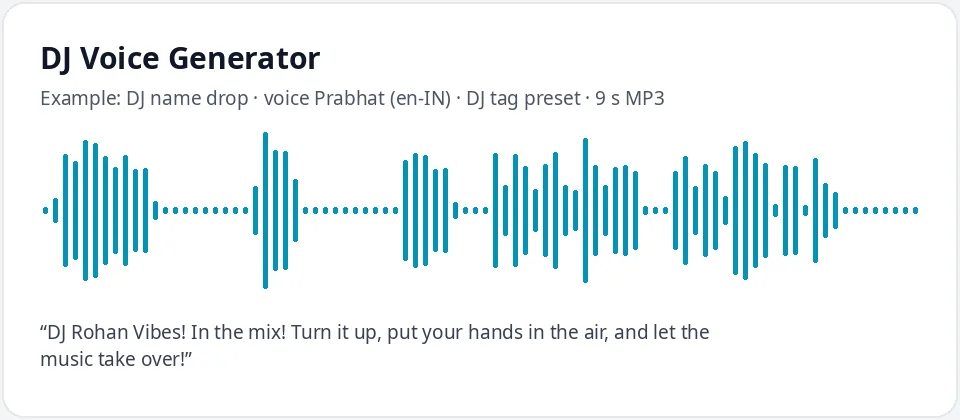
Made with this free tool, no edits: voice Prabhat (Indian English), DJ tag preset on, sample “DJ name drop”. Text: “DJ Rohan Vibes! In the mix! Turn it up, put your hands in the air, and let the music take over!”
How it works
- Type your DJ name and a short tag line. Free clips are up to 500 characters, but most tags are one or two lines.
- Leave the "DJ tag preset" ticked. It lowers the pitch by 15 Hz and speeds the voice up by 5 percent. Prabhat (English, India) is preselected; pick Neerja for a female DJ tag.
- Press generate, listen, and download the MP3. Drop it into your DJ software or editor and add echo or effects there if you want them.
What does this DJ voice sound like?
It is a deep, confident and slightly quick voice that suits a DJ name drop: "DJ Rohan Vibes, in the mix!" It comes from Prabhat, a natural Indian English AI voice, with the pitch lowered a little and the speed raised a little so short tags land with punch instead of sounding like a slow announcement.
Indian English is the default because it reads Indian DJ names and party words like baraat or sangeet naturally. You can switch to any other voice or language in the menu, and the preset stays on.
The voice is clean and dry. There is no echo, reverb, laser, siren or bass drop on the MP3. That is on purpose: a clean tag is easier to mix, and you can add exactly the effect you like in your DJ software.
Where DJs use a voice tag
- Name drops at the start of a mix or between tracks, so listeners know whose set it is.
- Wedding, sangeet and party set intros played over the first beat.
- Mixtape and podcast mix intros: volume number, length and DJ name.
- Instagram reels, YouTube remixes and short videos where a spoken tag marks your edit.
- Radio-style station IDs for an online stream or a college radio show.
- Club night and event promos, recorded once and reused all season.
Tips for a DJ tag that cuts through the music
- Keep it short. A tag of three to eight words is easiest to drop over a beat.
- Put the DJ name first or last, never buried in the middle.
- Use exclamation marks and commas for energy and small pauses: "DJ Kabir! In the mix!"
- Spell your name the way it should sound. If the voice says it wrong, try a simpler spelling, like "Rohann" or "Ro-han".
- Make two or three versions with different voices and pick the one that sits best in your mix.
Hindi DJ tags and adding effects
Want your tag in Hindi? Open the language menu, pick Hindi, and choose Madhur for a male voice or Swara for a female voice. Type your tag in Hindi script for the most natural read. The DJ tag preset works the same way on Hindi voices.
For the classic DJ drop sound, import the MP3 into your DJ software or a free audio editor and add a short echo or delay, a little reverb, and a sweep or riser before the drop. Keep a dry copy too, so you can reuse the same tag with different effects.
Frequently asked questions
Is the DJ voice generator free?
Yes. The box is free: up to 500 characters per clip, MP3 download, no watermark. Longer scripts and more generations are on the paid plans.
How is the DJ voice made?
It uses Prabhat, an Indian English AI voice, with the DJ tag preset: the pitch is lowered by 15 Hz and the speed raised by 5 percent. That gives a deeper, punchier read for short tags.
Can it add echo, laser or drop sound effects?
No. It makes the spoken voice only, as a clean MP3. Add echo, reverb, sirens or drops in your DJ software or audio editor; a clean tag is easier to mix anyway.
Can I make a DJ name tag in Hindi?
Yes. Switch the language menu to Hindi and pick Madhur or Swara. Type the tag in Hindi script for the most natural pronunciation.
Can I use the tag in my mixes and videos?
Yes, you can use the audio you generate in your own mixes, sets, reels and videos.
Need more than a short clip?
The free box above is capped at 500 characters per clip. If you need longer scripts (up to 5,000 characters per generation) or higher-quality voices, take a look at the plans. Nothing here is required to use the free tool.
See plans and pricingMore free text to speech