Free Countdown Voice Generator
Write your own countdown, from "ten, nine, eight" to "three, two, one, go", and get a clear spoken MP3 for a video, game, party or event.
Try the Countdown Voice Generator free
No sign-up neededStart from a sample script:
Free clips are up to 500 characters, with no sign-up and no watermark. Longer scripts and more voices are on the paid plans.
Countdown voice generator example: a rocket launch
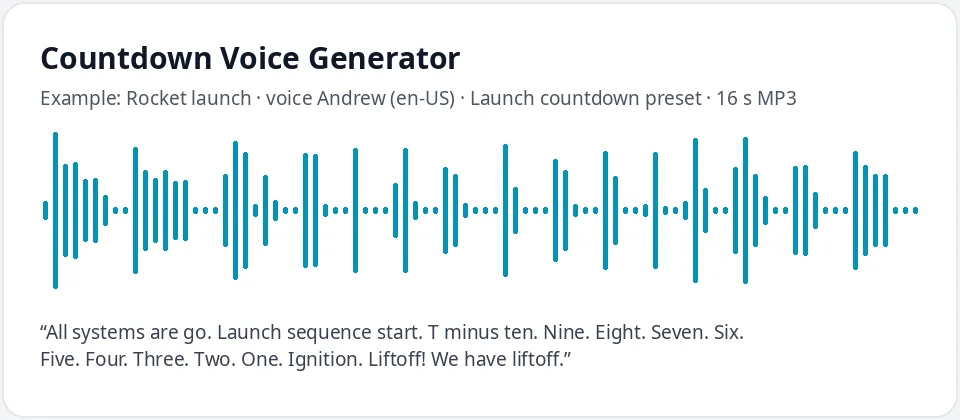
Made with this free tool, no edits: voice Andrew (US English), Launch countdown preset on, sample “Rocket launch”. Text: “All systems are go. Launch sequence start. T minus ten. Nine. Eight. Seven. Six. Five. Four. Three. Two. One. Ignition. Liftoff! We have liftoff.”
How it works
- Type your countdown, with a full stop after each number, or start from a sample.
- Keep Andrew with the launch countdown preset, or pick another voice for a lighter count.
- Play it, fix the pacing, then download the MP3 and drop it into your video, slides or game.
How to write a countdown the voice reads well
- Write numbers as words: "Ten. Nine. Eight." The voice reads words more naturally than digits.
- Put a full stop after each number. Each full stop adds a short pause, which turns a list into a count. Commas give a faster count, which suits a quick "three, two, one, go".
- Add a lead-in line before the numbers, such as "Launch sequence start" or "Everybody, get ready", so listeners know the count is coming.
- End with a strong final word and an exclamation mark: "Go!", "Liftoff!" or "Happy New Year!"
- For a long count, such as sixty to one, make several clips and join them in an editor.
Countdowns you can make
- New Year and party countdowns for a living room, a stream or a video.
- Rocket launch countdowns for school science projects, model rocket clubs and short films.
- Quiz, trivia and game show round starts, and "time is up" calls.
- Race starts for school sports days, fun runs and backyard games.
- Event openers, such as doors opening, a product reveal or the start of a show.
- Video intros and outros, and gaming streams that count down to the start.
Getting the timing right
The voice leaves a short pause at each full stop, but it is not a stopwatch. A count from ten to one usually takes a little under ten seconds. If you need each number on an exact second, for example to match a clock on screen at midnight, download the MP3 and nudge each number in a free audio or video editor.
Another way is to make each number its own short clip and place them one second apart on your timeline. That takes a few minutes and gives you perfect timing.
The launch countdown preset slows Andrew down by fifteen percent and lowers his pitch, which gives a steady, serious count. For a fun party count, untick the preset or try a brighter voice such as Ava or Jenny.
What this tool does and does not do
It speaks your countdown in a clear neural voice and gives you an MP3. It does not add beeps, rocket sounds, fireworks, crowd cheers or music. Layer those in your editor if you want them. It also does not make official launch or safety calls: use it for videos, games, parties and events.
Frequently asked questions
Is the countdown voice generator free?
Yes. The box is free: up to 500 characters per clip, an MP3 download and no watermark. Longer scripts are on the paid plans.
How is the countdown voice made?
It is Andrew, a US English AI voice, with a preset that lowers his pitch a little and slows him by fifteen percent, so each number lands with weight. Untick the preset for his normal pace.
Will each number be exactly one second apart?
Close, but not exact. Full stops make short, even pauses. For exact timing, adjust the MP3 in an editor or make one clip per number and space them one second apart.
Can I count down from sixty or one hundred?
Yes. Each clip holds up to 500 characters, so split a long count into several clips and join them in an editor.
Can I add my own words, like a name or event?
Yes. That is the main reason to make your own: write "Three, two, one, happy birthday, Maya!" or any line you like, and the voice reads it.
Need more than a short clip?
The free box above is capped at 500 characters per clip. If you need longer scripts (up to 5,000 characters per generation) or higher-quality voices, take a look at the plans. Nothing here is required to use the free tool.
See plans and pricingMore free text to speech