Free Bingo Caller Voice
Write your bingo calls, from "Kelly's eye, number one" to "top of the shop, ninety", and hear them read in a clear, unhurried caller voice.
Try the Bingo Caller Voice free
No sign-up neededStart from a sample script:
Free clips are up to 500 characters, with no sign-up and no watermark. Longer scripts and more voices are on the paid plans.
Bingo caller voice example: traditional UK calls
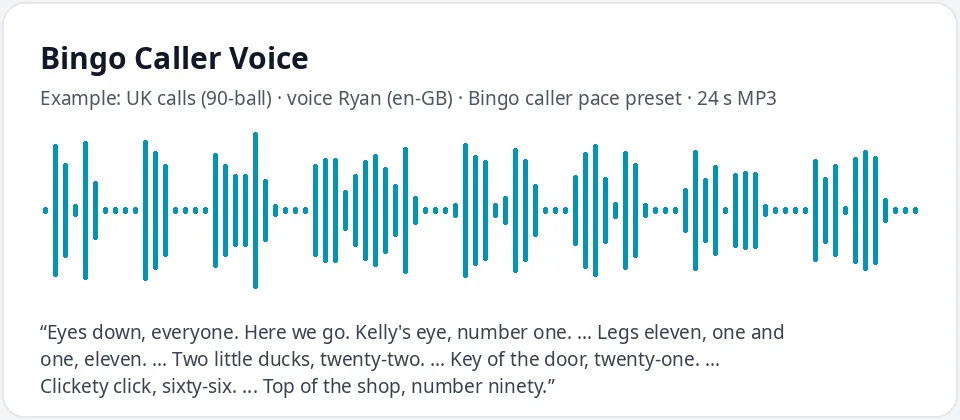
Made with this free tool, no edits: voice Ryan (UK English), Bingo caller pace preset on, sample “UK calls (90-ball)”. Text: “Eyes down, everyone. Here we go. Kelly's eye, number one. ... Legs eleven, one and one, eleven. ... Two little ducks, twenty-two. ... Key of the door, twenty-one. ... Clickety click, sixty-six. ... Top of the shop, number ninety.”
How it works
- Draw your numbers with a cage, a deck of number cards or any random picker.
- Type the calls in the box, with "..." between numbers for a short pause, and press play.
- Download the MP3, or make one clip per number so you can play them in any order.
How the bingo caller voice works
This is a voice for your bingo script, not a number machine. It reads exactly what you type, in the order you type it. It does not pick random numbers or check cards.
There are two easy ways to use it. You can draw the numbers first, then type that game's calls and play the clip. Or you can make one short clip per number, label the files one to ninety (or one to seventy-five), and play the right clip each time you draw a ball.
The second way takes a little longer to set up, but you only do it once. After that, the same clips work for every game, every week, and the caller never gets tired or loses their voice.
Traditional UK bingo calls to use in your script
- One: Kelly's eye. Three: cup of tea. Nine: doctor's orders.
- Eleven: legs eleven. Twenty-one: key of the door. Twenty-two: two little ducks.
- Thirty-two: buckle my shoe. Forty-five: halfway there. Fifty: half a century.
- Sixty-six: clickety click. Eighty-eight: two fat ladies. Ninety: top of the shop.
- Say the call first, then the number, so players hear the number last.
- Mix in your own calls for a theme night, such as a holiday or a school name, as long as the number is always clear.
Tips for a clear bingo number caller
- Say each number twice, or as digits and then as a whole, like "one and one, eleven".
- Put "..." between numbers. It adds a short pause so players can mark their cards.
- For 75-ball bingo, say the letter first: "B, five. B, five."
- Keep the pace slow for care homes and young children. The preset already slows the voice by 12 percent.
- Write numbers as words, such as "twenty-two", so the voice never reads them the wrong way.
Where people use a bingo caller voice
- Online bingo nights on video calls with family or coworkers.
- Care homes and day centers, where a steady, repeated call helps everyone keep up.
- Classrooms, for number, math and vocabulary bingo.
- Fundraisers, parties and game videos.
- Word and picture bingo for language learners, where the voice reads a word instead of a number.
- Players with hearing or speech difficulties, so a host can run the game without calling out loud for an hour.
Frequently asked questions
Is the bingo caller voice free?
Yes. The box is free: up to 500 characters per clip, an MP3 download and no watermark. Longer scripts are on the paid plans.
Does it pick random bingo numbers?
No. It reads the script you write. Draw numbers with a cage, cards or a random picker, then let the voice call them, or make one clip per number and play each clip as its number comes up.
How is the caller voice made?
It is Ryan, a UK English AI voice, with a preset that keeps his pitch the same and slows him by 12 percent, so every number is easy to catch. Untick the preset for his normal speed.
Can I use an American voice for 75-ball bingo?
Yes. Choose US English and pick a voice such as Guy, Jenny or Andrew. Write each call as letter then number, like "N, thirty-four".
How many numbers fit in one clip?
About ten to fifteen calls with traditional sayings fit in 500 characters. For a full game, make several clips or one clip per number.
Need more than a short clip?
The free box above is capped at 500 characters per clip. If you need longer scripts (up to 5,000 characters per generation) or higher-quality voices, take a look at the plans. Nothing here is required to use the free tool.
See plans and pricingMore free text to speech