Free Chipmunk Voice Generator
Type a message and hear it squeaky, high and fast. Download the MP3 for birthday wishes, memes and funny videos.
Try the Chipmunk Voice Generator free
No sign-up neededStart from a sample script:
Free clips are up to 500 characters, with no sign-up and no watermark. Longer scripts and more voices are on the paid plans.
Chipmunk voice generator example: a birthday message
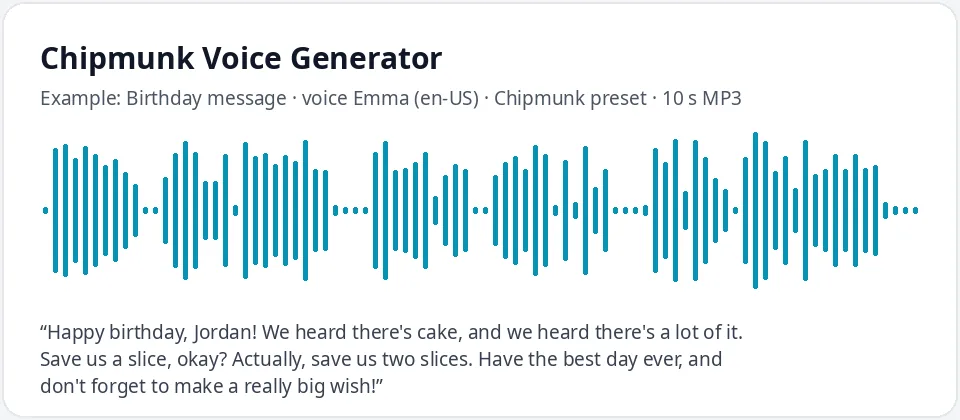
Made with this free tool, no edits: voice Emma (US English), Chipmunk preset on, sample “Birthday message”. Text: “Happy birthday, Jordan! We heard there's cake, and we heard there's a lot of it. Save us a slice, okay? Actually, save us two slices. Have the best day ever, and don't forget to make a really big wish!”
How it works
- Type your message. Free clips are up to 500 characters.
- Keep the "Chipmunk preset" on. It raises the pitch by 50 Hz and speeds the voice up by 30 percent.
- Press generate, laugh, and download the MP3 to send or add to your video.
How the chipmunk voice is made
A chipmunk voice is simply speech that is much higher and faster than normal. This tool makes it from a real AI voice: Emma, a clear US English voice, with the pitch raised by 50 Hz (the highest setting) and the speed raised by 30 percent.
Because the voice starts out clear, the words stay easy to understand even at high speed. That is the difference between a funny chipmunk clip and a squeaky blur. Every voice in the list works with the preset, so you can try a male voice for a slightly lower squeak or Ana for an extra-tiny one.
Want a whole group of squeaky friends? Make each line with a different voice and the preset on, then put the clips one after another in your video editor. Three voices taking turns sounds like a tiny, chaotic choir, which is exactly the joke most people are after. Untick the preset at any time to hear how big the change is.
Funny ways to use a chipmunk voice
- Birthday messages and party invites that make kids and adults laugh.
- Meme reactions, TikTok and Reels skits, and short funny videos.
- Voice lines for small animal characters in cartoons and games.
- Video intros and outros with a silly, high-energy sign-off.
- Group chat audio to brighten up a "good morning" or a "we did it".
Tips for a funnier chipmunk clip
- Keep sentences short. Fast speech is funniest when each line is a quick punch.
- Repeat words for comic effect: "Wait, wait, wait" or "Three days. Three days!"
- Use exclamation marks and question marks; they change how the line rises and falls.
- Write names, times and numbers as words so they come out clearly at high speed.
- Under 500 characters? Great. Chipmunk clips work best at five to fifteen seconds.
What it does and does not do
- It reads your text in a high, fast, squeaky AI voice and gives you an MP3.
- It changes only the voice, pitch and speed. It does not add music, singing, echo or sound effects.
- It does not turn your own recording into a chipmunk voice; for that you need a voice changer app.
- It does not copy any cartoon character. You get your own original chipmunk voice.
Frequently asked questions
Is the chipmunk voice generator free?
Yes. The box is free: up to 500 characters per clip, an MP3 download and no watermark. Longer scripts and more generations are on the paid plans.
How is the chipmunk voice made?
It is Emma, an AI voice, with the Chipmunk preset: pitch raised by 50 Hz and speed raised by 30 percent. Untick the preset to hear the normal voice.
Can it sing Happy Birthday?
No. It reads text as speech and does not sing. Write a spoken birthday message instead; it sounds great in the chipmunk voice.
Can I make it even higher?
The preset already uses the highest pitch step. For an even smaller sound, pick a higher voice such as Ana or Jenny with the preset on.
Can I post the clip on TikTok or YouTube?
Yes, you can use the audio you generate in your own videos and posts.
Need more than a short clip?
The free box above is capped at 500 characters per clip. If you need longer scripts (up to 5,000 characters per generation) or higher-quality voices, take a look at the plans. Nothing here is required to use the free tool.
See plans and pricingMore free text to speech